2025
Superior Plus Propane
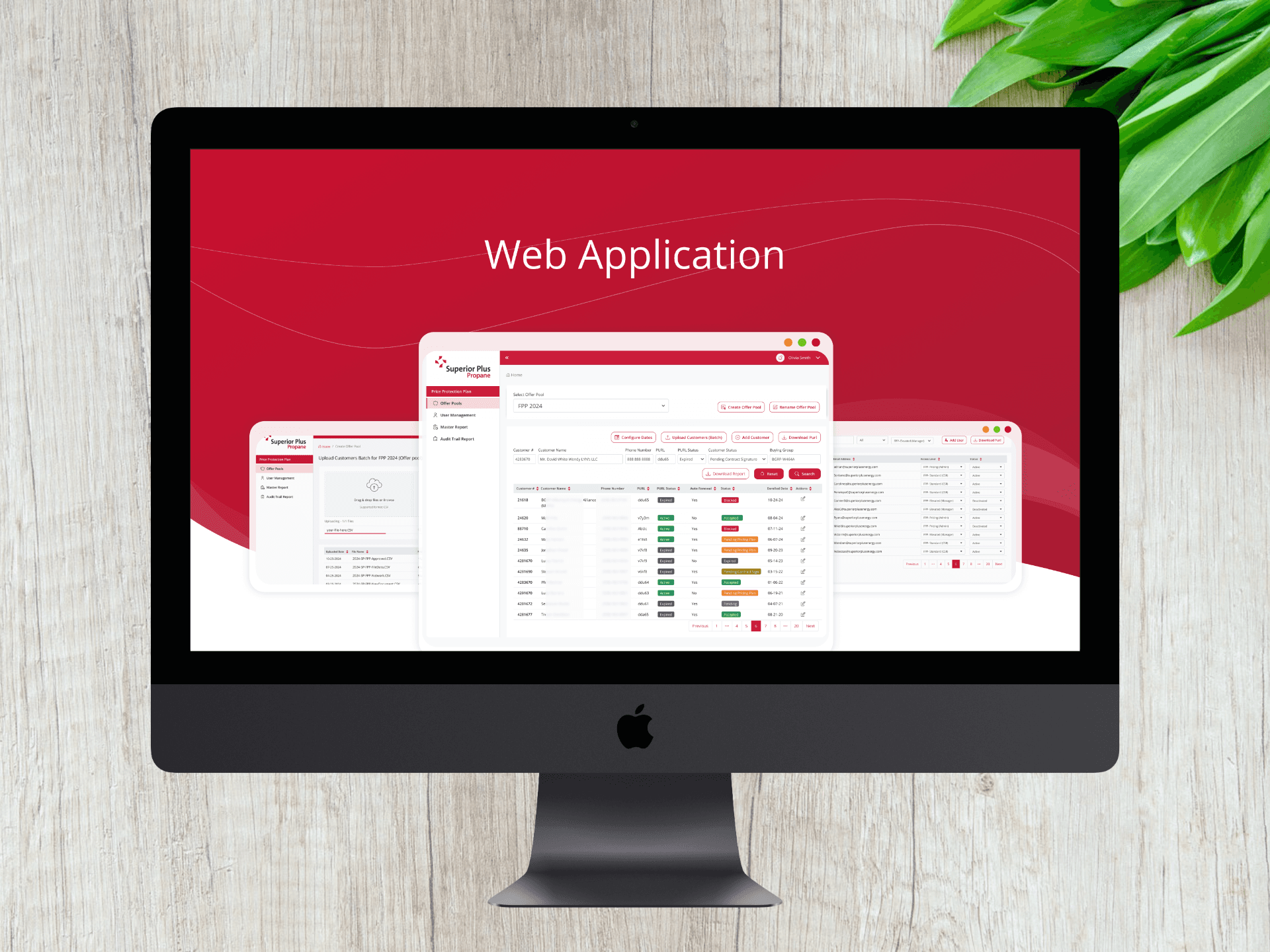
New Revamped Web Application
(Confidential data is internationally hidden)
Role: Sr. Product UX Designer
TImeline: 12 weeks (Multi-phase redesign and rebuild)
Users: Admins, Customer Service Representatives (CSRs), Managers
Team: VP, Director of Engineer, Project Manager, Junior Designer, Engineers
About
Superior Propane is a leading Canadian distributor that provides propane fuel and related services to residential, commercial, industrial, and agricultural customers over 70 years (founded in 1951).
Challenge
Complete vendor dependency for any system changes with no code ownership or system control. High operational costs & limited flexibility for updates.
TL;DR

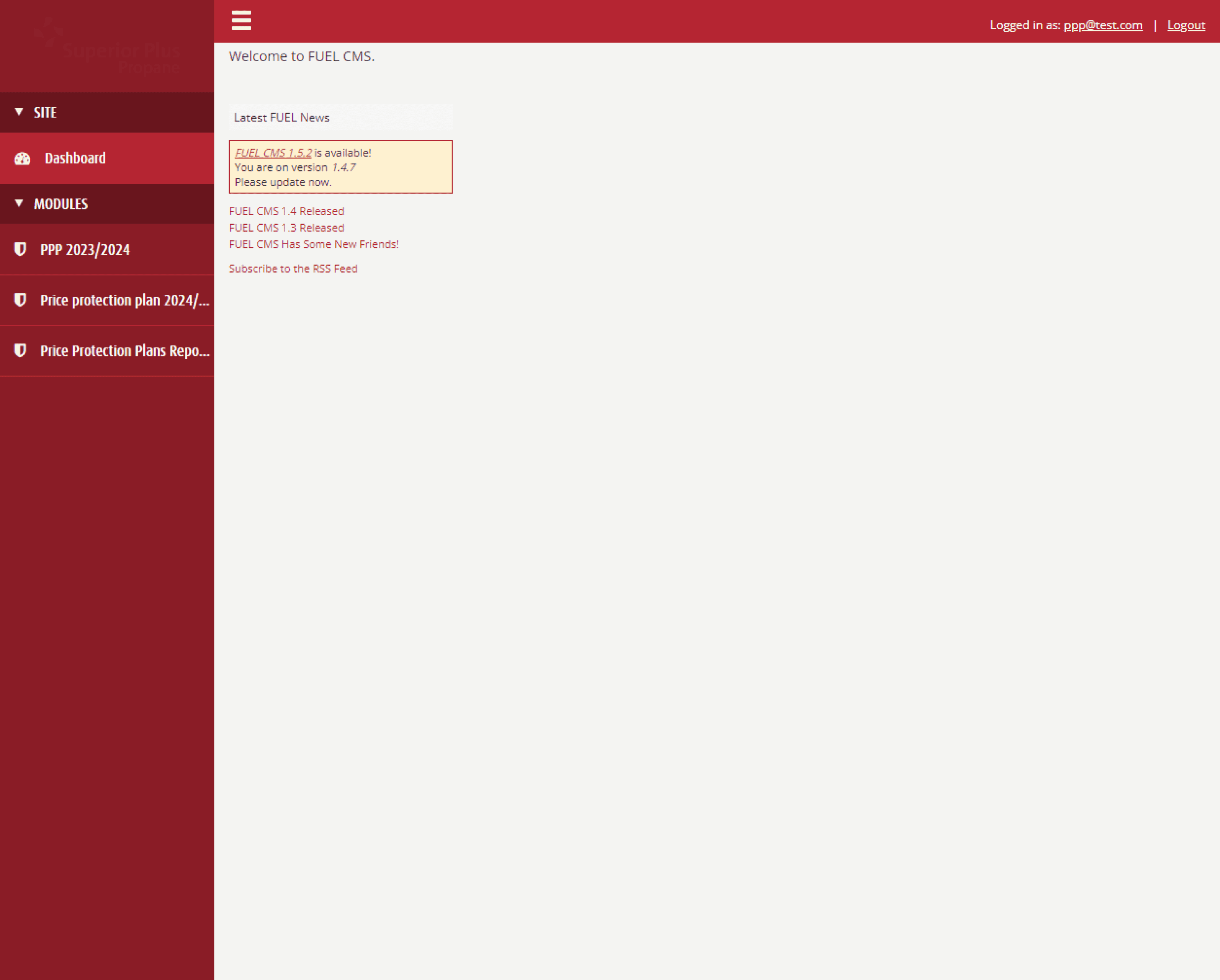
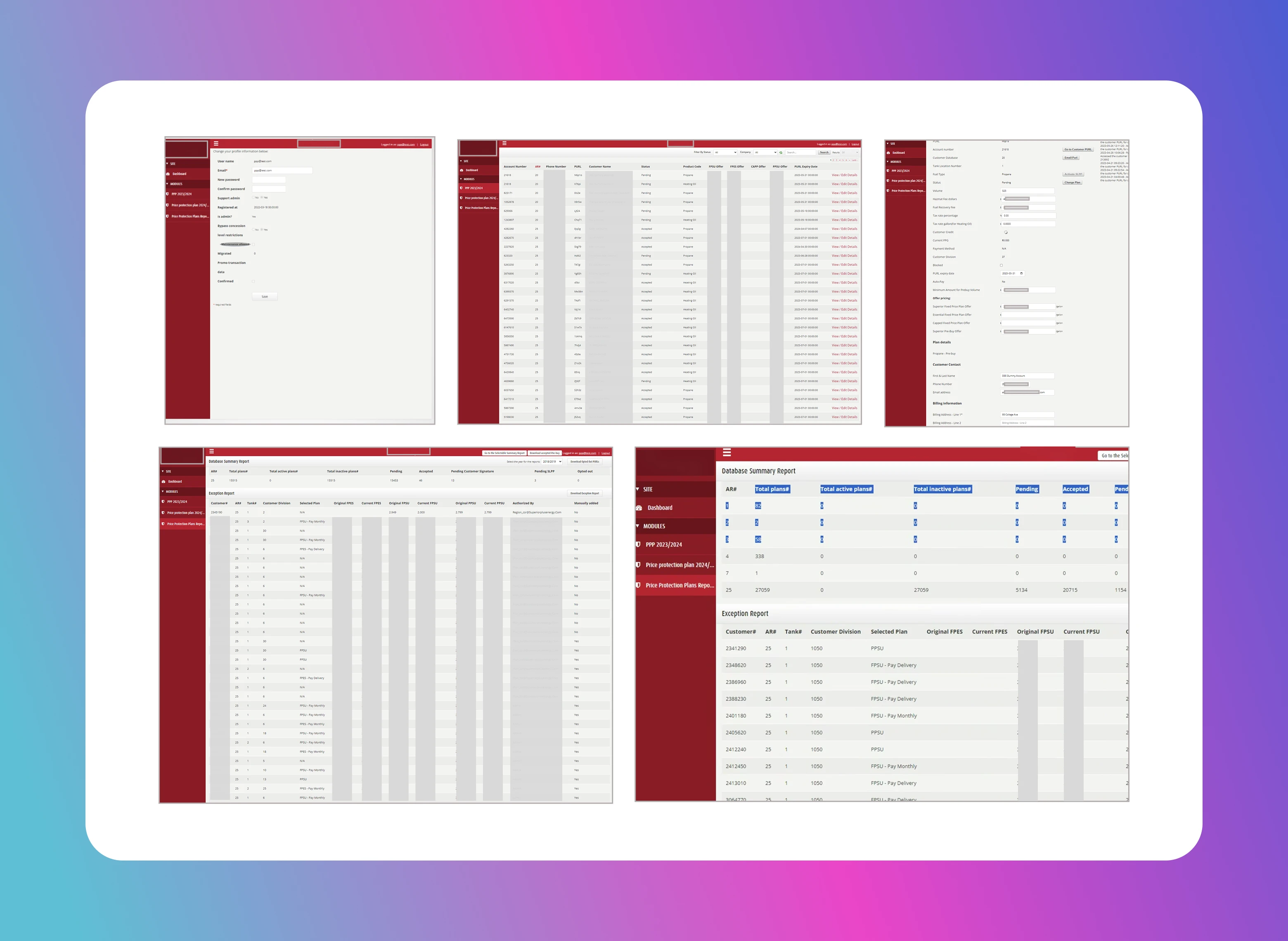
Before redesign
Core problem
This project presented several intersecting challenges:
Designing for three roles (Admin, Manager and CSR) with strict permission boundaries
Each role required clarity on what they could see, edit, or manage without overloading the interface or introducing
security risks.Balancing speed with enterprise-grade reliability
The system needed to enable rapid configuration changes while maintaining auditability, traceability, and compliance.Re-architecting workflows without disrupting operations
The platform could not afford downtime or a steep learning curve for existing users.Translating technical independence into UX value
Code ownership alone doesn’t create value, users needed tangible improvements in speed, clarity, and control.Aligning design decisions with cost-reduction goals
Every design choice had to support long-term scalability and reduced operational overhead.
+
Sec
K
Cost Saved
What I Learned
Constraints are constant, alignment is the accelerator.
Working within tight timelines is unavoidable in consulting. Actively listening to engineers, understanding technical constraints early, and co-planning solutions enabled us to prioritize effectively and ship critical features within aggressive deadlines without compromising system integrity.UX is a strategic lever, not a cosmetic layer.
In enterprise environments, design decisions directly impact cost, governance, and operational agility. while maintaining auditability, traceability, and compliance.Auditability is a UX problem, not just a technical one.
Logs and change history must be understandable and actionable, not hidden system artifacts.Scan-ability is critical in data-heavy experiences.
In grid- and table-driven applications, prioritizing the most relevant information through clear hierarchy, progressive disclosure, and visual emphasis enabled users to quickly scan, understand, and complete their jobs efficiently and with confidence.
Business Impact
Strategic gains
Platform became a scalable foundation rather than a constraint.
SPP gained long-term flexibility to adapt pricing, workflows, and policies.
Reduced ⬇️ risk associated with vendor lockin.
Working within tight timelines is unavoidable in consulting. Actively listening to engineers, understanding technical constraints early, and co-planning solutions enabled us to prioritize effectively and ship critical features within aggressive deadlines without compromising system integrity.age without overloading the interface or introducing security risks.
Quantitative Outcomes
30–40% reduction ⬇️ in operational costs by eliminating vendor dependency.
Significant reduction in turnaround time for system updates from weeks to real-time changes.
Data-driven insights helped ⬇️ reduce average call handle time (AHT) by 30 seconds per call, allowing for ⬆️ 150 more customer inquiries daily without needing to expand the customer service team.Faster customer enrollment and issue resolution.
Reduced ⬇️ training and onboarding effort for new users by providing train the trainer videos.
Qualitative Outcomes
Full front-end and back-end ownership
Internal teams empowered to configure workflows without external support
Improved trust in data accuracy and system reliability
New analytics dashboard enabling data-driven decision-making
Enhanced accessibility to customer and pricing information
Design Approach
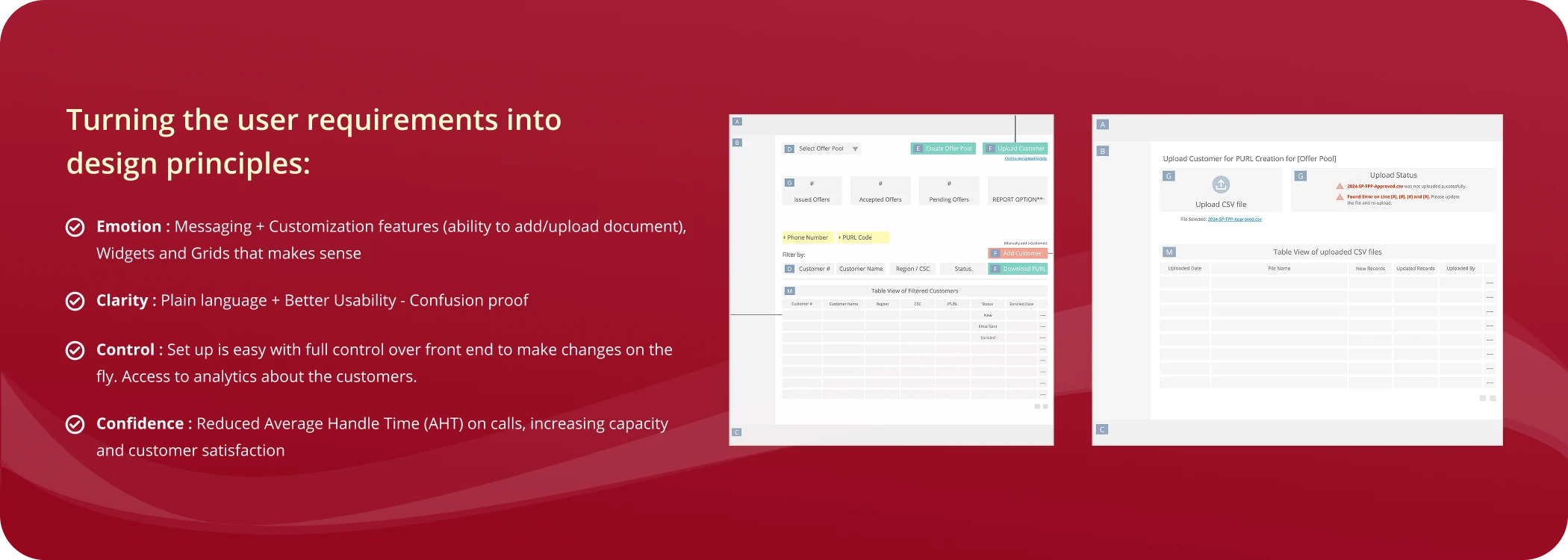
Design Tradeoffs
Power vs Simplicity
Decision: Prioritized clarity and role-based simplicity over exposing every advanced feature upfront.
Rationale: Reducing cognitive load improved accuracy and speed for daily tasks.
Speed vs Familiarity
Decision: Maintained recognizable workflow patterns while modernizing interaction models.
Rationale: Minimizing disruption reduced adoption risk in a mission-critical system.
Customization vs Governance
The business wanted teams to make changes themselves (pricing rules, workflows, configurations) without waiting on a vendor. At the same time, this is a data heavy web application, uncontrolled changes could cause errors, compliance issues, or data risk. Below approach gave teams speed and independence, while leadership retained control, traceability, and confidence. It prevented chaos while still removing the vendor bottleneck.
We allowed self-service customization, but only within clearly defined rules:Users could configure what they needed
Permissions controlled who could change what
Every change was logged with full history and accountability.

Old Customer Details Page
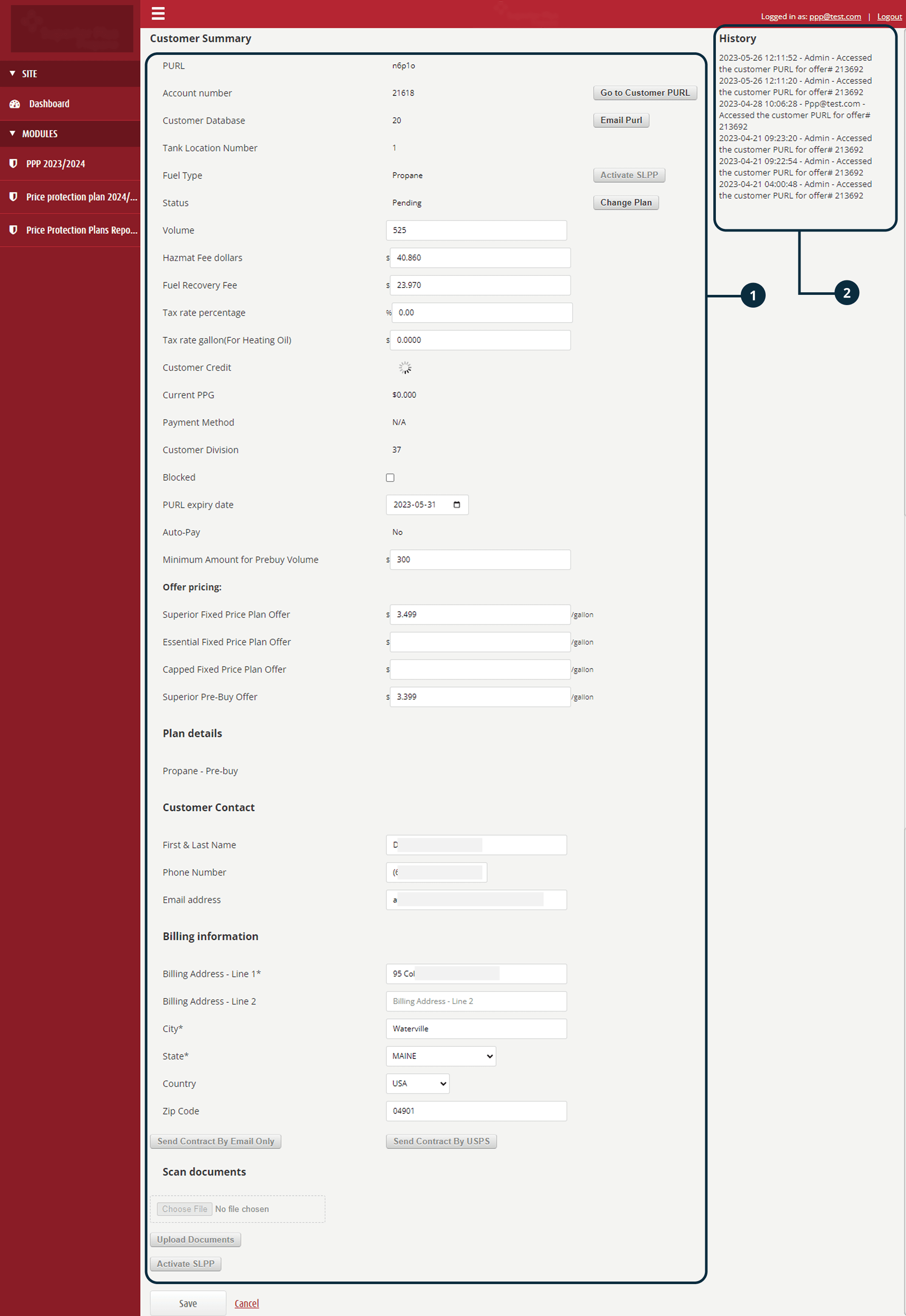
Cumbersome Interface: Information is not logically grouped, making it difficult for users to quickly scan and locate relevant details.
History Section: Customer profile updates are displayed date wise as a list on the right panel, but lack clear organization or hierarchy, resulting in a cluttered and confusing experience.
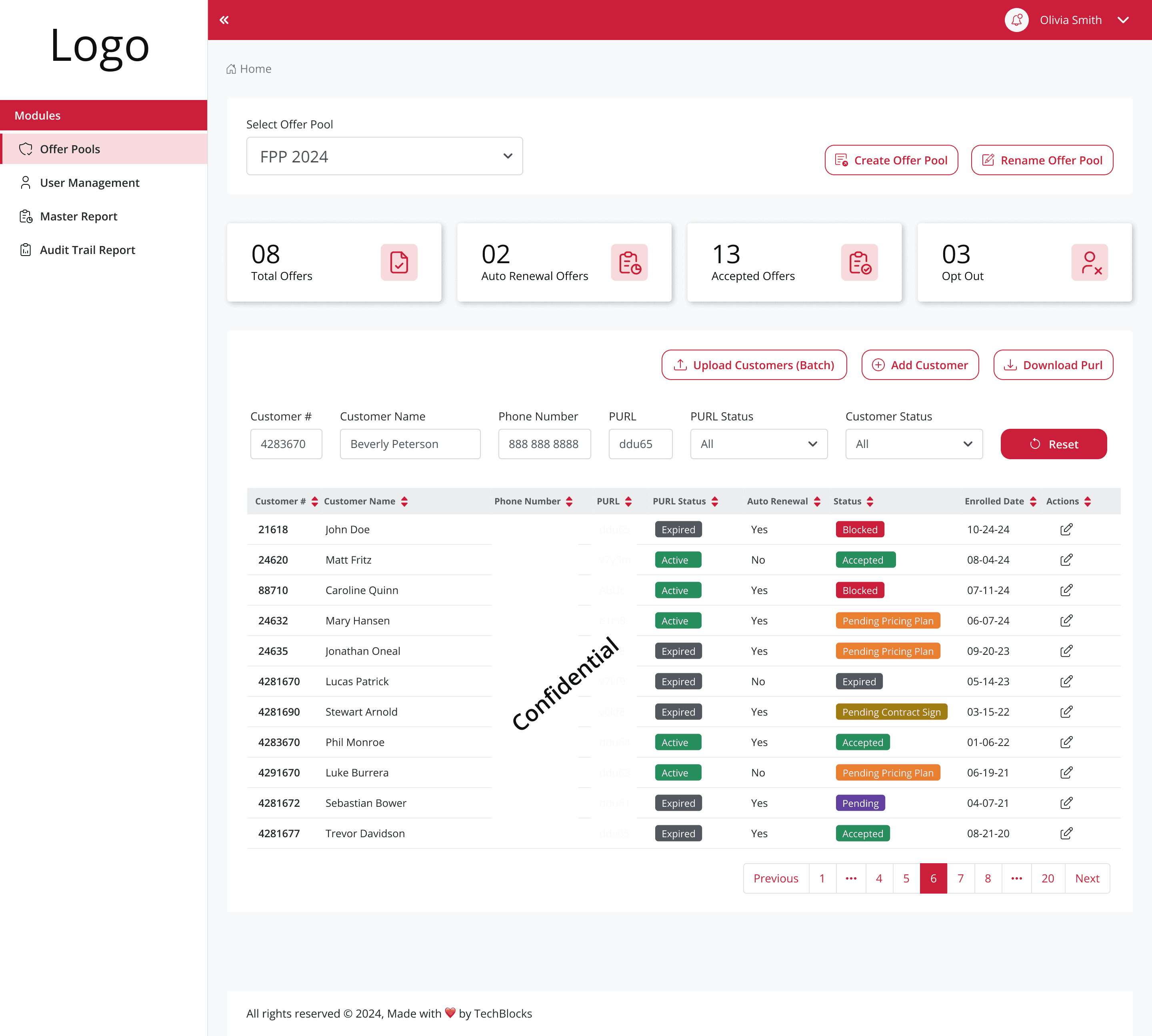
Customer Details New Look
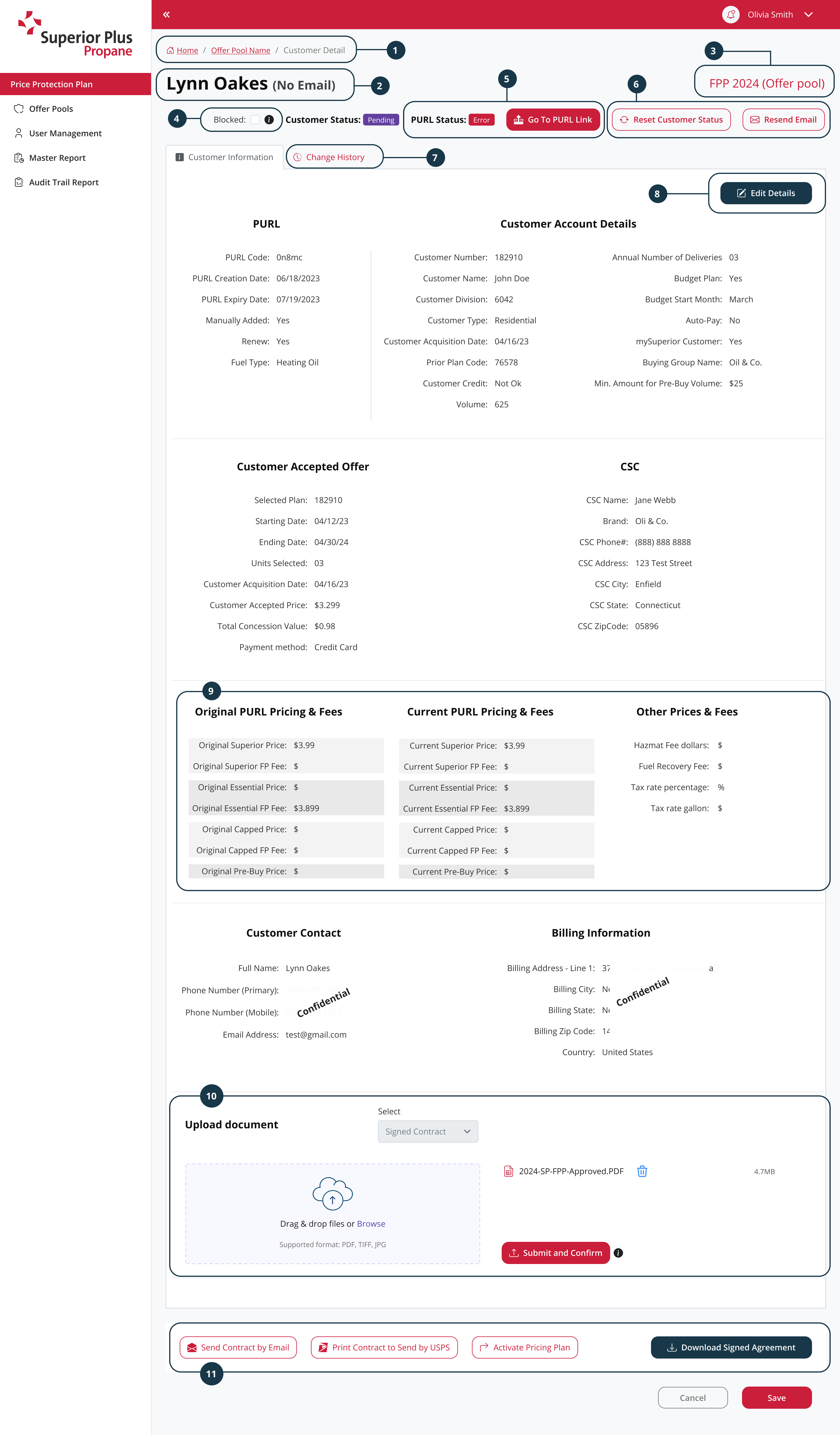
Breadcrumbs: Added breadcrumbs to reduce "cognitive load" which acts as secondary navigation that help users understand their current location within the web app/system's hierarchy and quickly navigate to previous levels
Customer Name on the top to identify the profile quickly
Offer Pool Name on the top right corner
Blocked Status: For the quick action to block or unblock the customer
PURL Status & PURL Link: To quickly view the PURL Status and to access the PURL Link to see the Fixed Price Plan Details or to update the give the new plan to the customer
CTAs: Reset Customer Status will change the customer status back to original status and Resend Email will send the email to the customer
Change History: The change history is added here as a separate tab, to see the changes made on the customer profile by whom and when
Edit Details: This CTA will make this page editable
Grouping of PURL Prices and Other prices in section which is easy to scan
Upload Document: This section lets the Admin, Manager and CSRs to upload customer file/document related to the customers fixed price plan
Introduced more CTAs as per the insights which gave more control to the CSRs and reduced dependency to communicate with customer in traditional way
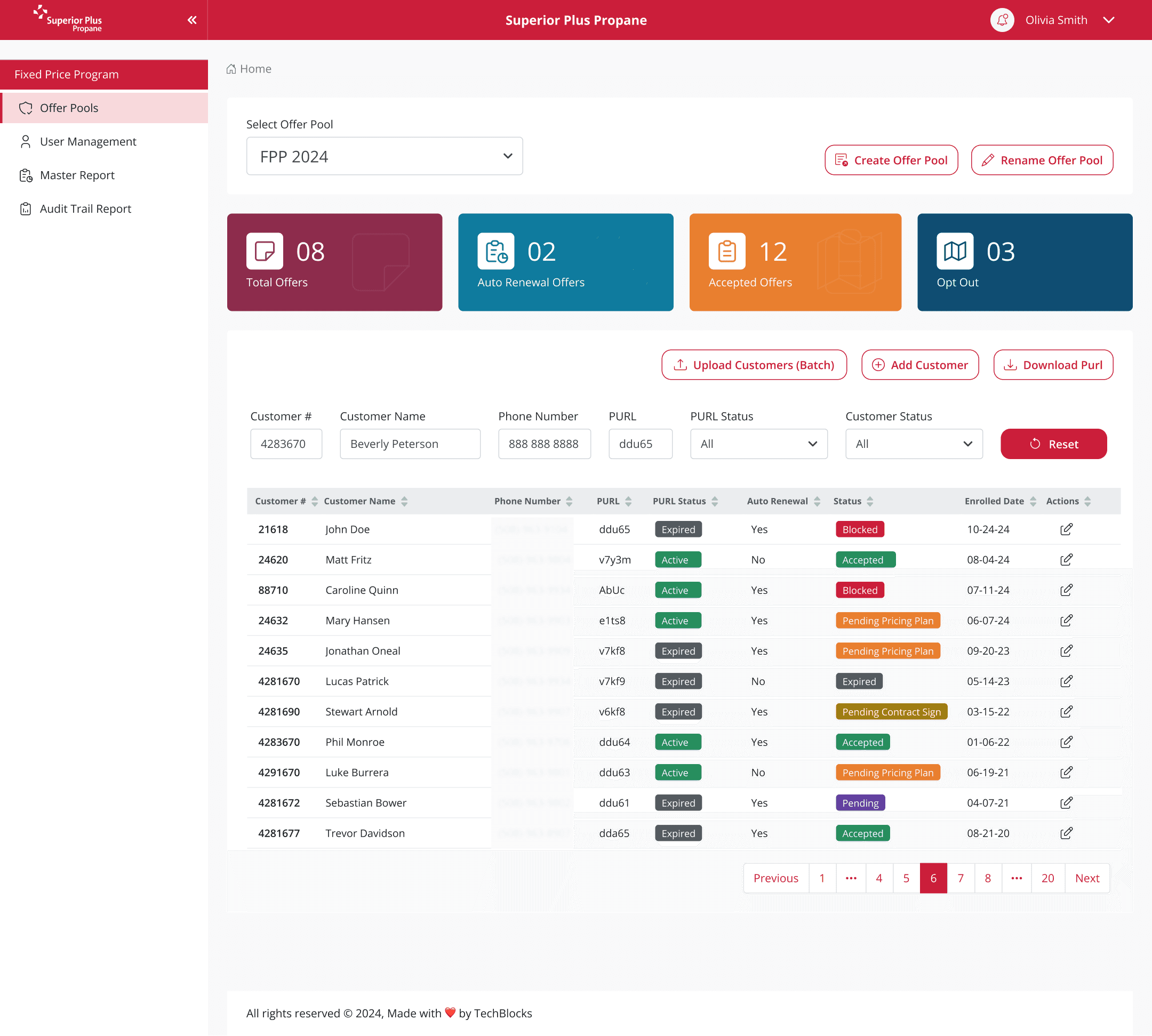
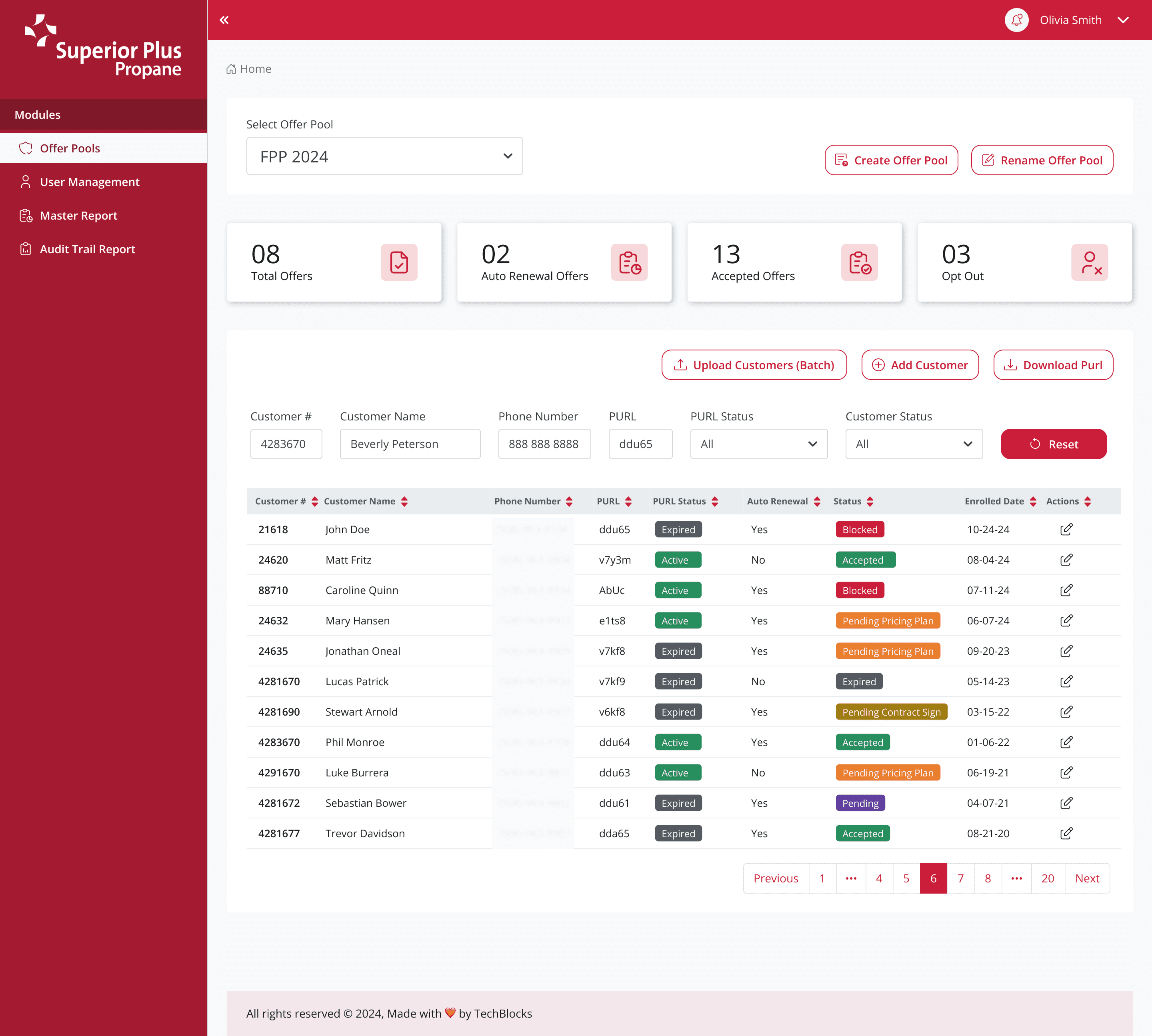
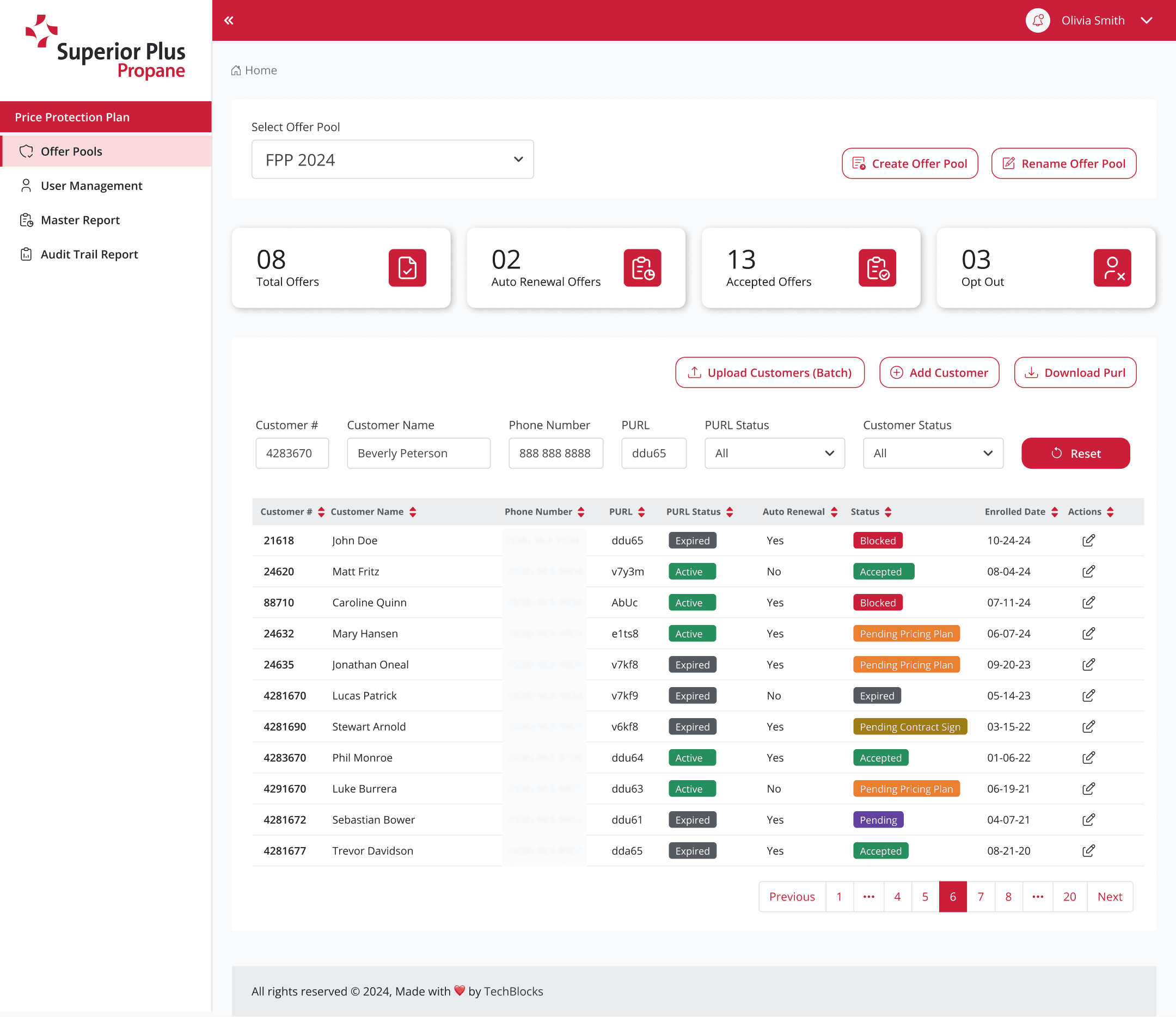
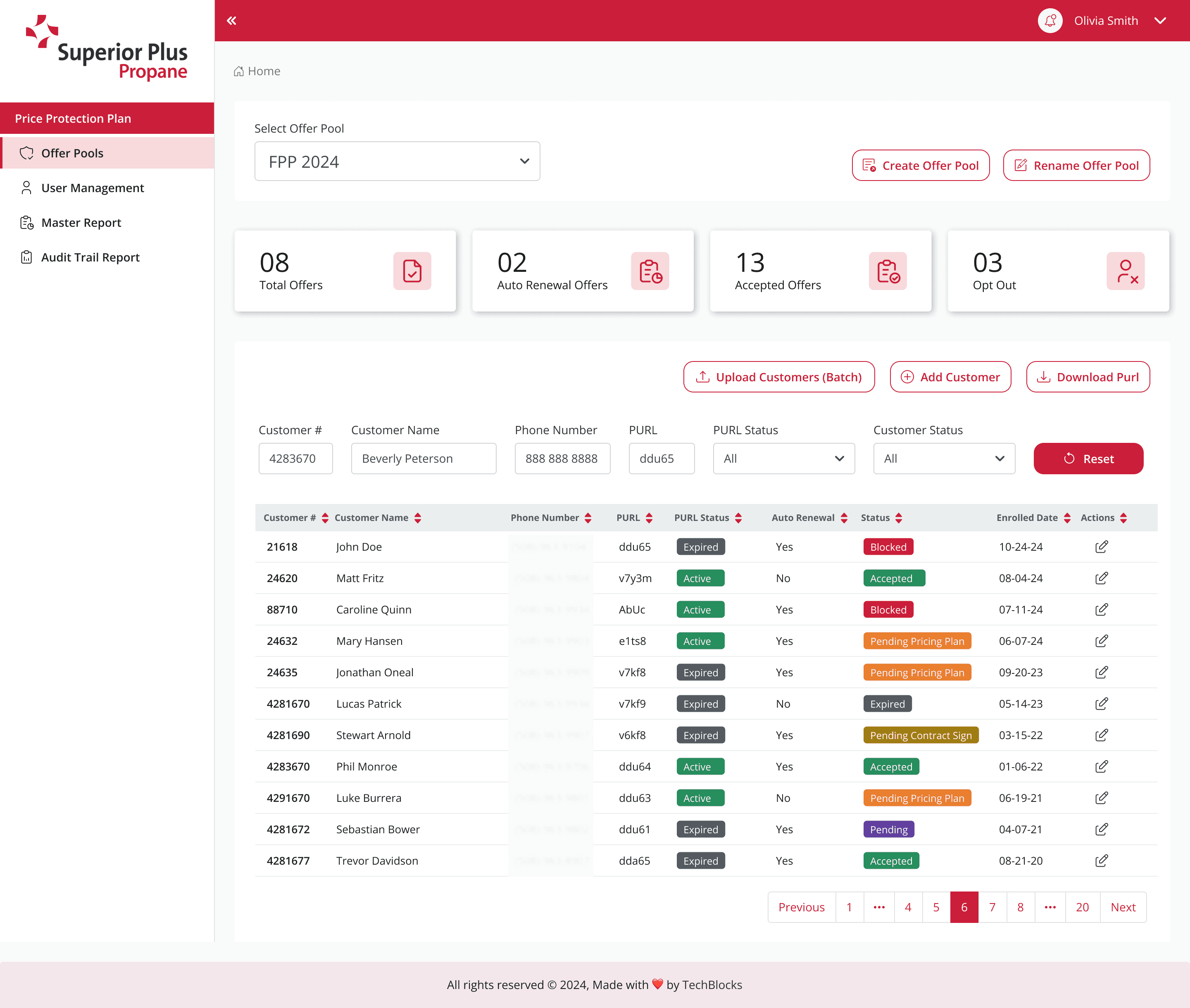
Versions of UI Design Mockups
I experimented with different color combinations for the Logo Size, Side Menu/Navigation, Widgets, Footer color and more
Visual QA

Comparing the build to design files:
I reviewed the staging environment build against the high-fidelity mockups from Figma to check visual consistency.
Verified details across different pages, components like buttons, links, forms, dropdowns and screen resolutions including:
Typography: Verified font sizes, weights, colors, line heights, and spacing.
Colors and Branding: Ensured all colors were used aligned with the established brand guidelines and color profiles.
Spacing and Alignment: Checked margins, padding, and grid alignment to ensure a polished and consistent layout.
Images, icons and Graphics: Ensured images, icons and illustrations were not distorted, cropped incorrectly, or scaled improperly.
Copywriting: Checked for typos, overflowed text, or incorrect information that may have been missed during content handoff.
Documented issues: Captured discrepancies (design bugs) using screenshots, screen recordings, and detailed descriptions of the problem and posted on Jira tickets.
Collaborated with developers: Worked closely with the development team to clarify the intended design, discussed technical limitations, and found a compromise when necessary.
Final sign-off: Re-tested the fixes implemented by developers to ensure the issues were resolved correctly and ultimately provided the final design sign-off for the feature to be released.
Next Steps
Redesign data tables to be easier to read without needing to scroll sideways.
Improve the mobile version and expand it so it works smoothly on tablets too.
Run follow-up studies (like longitude studies) over time to see how users feel about the new experience.